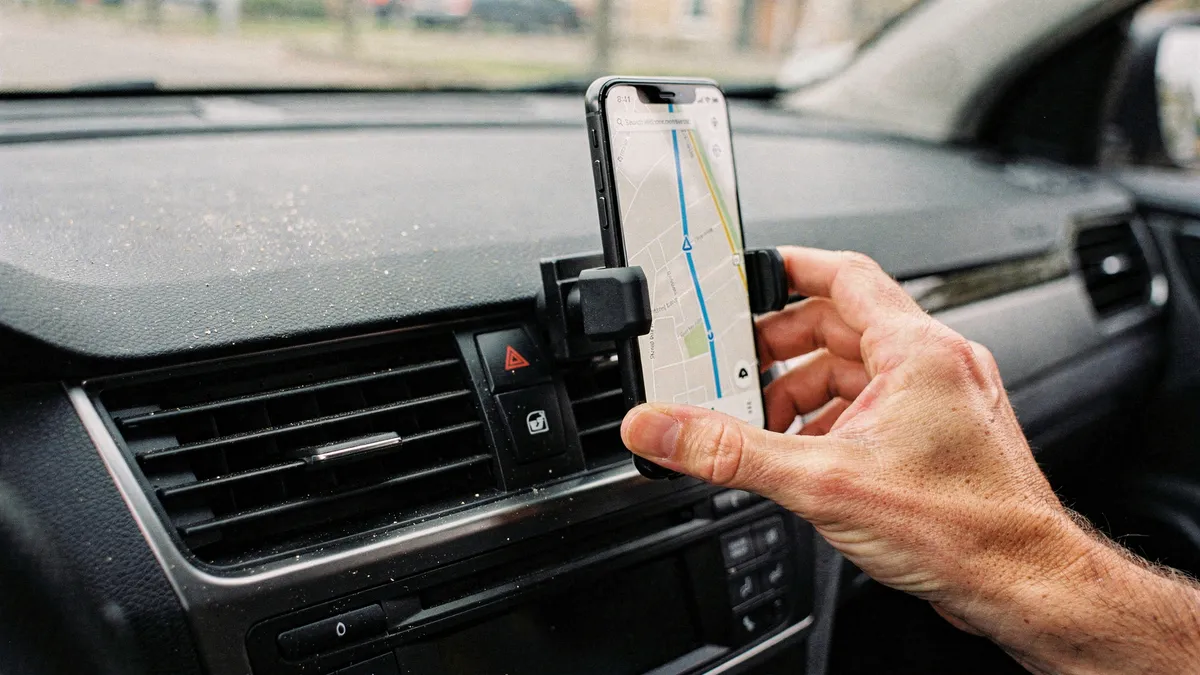
A phone mount is one of the cheapest pieces of safety equipment you can put in a car. Fumbling for a phone that slid under the passenger seat is exactly the kind of distraction that hands-free laws were written to prevent, and as of mid-2026 the large majority of US states have some version of those laws on the books. A mount does two jobs at once: it keeps the phone where a quick glance can read the navigation screen, and it keeps your hands off the device while the car is moving.
This guide names specific mounts that are actually sold right now, with realistic price context and the honest weak spot of each. Casual Findings does not run a test lab; we compare manufacturer specs, current listings, and large volumes of public owner feedback, then report the pattern.
Pick your mounting location first
The mount type matters less than where it puts the phone. A few ground rules that owners learn the hard way:
- High and close to your sight line. The less your eyes travel from the road to the screen, the safer the glance. Dash and windshield positions beat cup holders and low vents for this reason.
- Check your state's windshield rules. Several states restrict where a device may sit on the glass, often limiting it to a small corner zone. A dash position sidesteps the question entirely.
- Never block an airbag panel or a gauge. The passenger side of the dash and the lower corner of the windshield are usually safe territory.
- Think about summer. Adhesive pads and suction cups both suffer in a car that hits 140 degrees inside. If you park outdoors in a hot climate, favor mechanical clamps and quality suction over cheap adhesive discs.
The two mounts we would point most drivers to
iOttie Easy One Touch 6
The iOttie Easy One Touch 6 is the current version of the most widely recommended cradle mount in the US, and it earns that position by doing the boring things well. The trigger mechanism opens the arms when you press the phone against it, so docking is a genuine one-handed motion. The telescoping arm and suction base work on a windshield or, with the included pad, on a dashboard, and the cradle takes large phones in cases without complaint. It usually sells for under $40 as of mid-2026. The honest limitation: it is a big object. The arm and base claim real dash territory, and if you prefer a clean interior, a cradle this visible may bother you every time you park.
Peak Design Car Mount
The Peak Design Car Mount is the pick for people who want the phone to snap on magnetically and stay put on rough roads. Its magnet array is among the strongest sold in this category, and versions with built-in wireless charging remove the cable dance entirely. Pricing runs from around $80 to a little over $100 as of mid-2026 depending on the charging option. Two honest caveats. First, the strong hold assumes a MagSafe iPhone or a Peak Design Everyday case; a bare Android phone needs an adapter ring. Second, you are paying a premium for machined hardware, and a driver who just wants navigation on a screen can spend a quarter of this and be fine.
Three more worth knowing about
The Belkin BoostCharge Pro wireless car charger is the value route into magnetic charging mounts. It clips into an air vent, grabs a MagSafe iPhone, and charges at up to 15 watts. The vent location is the tradeoff: heavy phones make some vent fins sag over time, and in winter the heater blows directly onto a charging phone, which is exactly what a battery does not want.
Scosche's MagicMount line has been the budget magnetic standard for years, typically in the $20 to $30 range. Most versions rely on a thin metal plate you stick to the phone or slip inside the case. It works, and the low profile is genuinely nice, though the plate can interfere with wireless charging pads at home, and bare magnetic plates hold lighter phones better than today's 8-ounce flagships.
The WeatherTech CupFone takes the opposite approach: it stands in a cup holder, touches nothing else, and installs in ten seconds. Renters and lease drivers like it because it leaves no residue and moves between cars freely. The limitation is built into the concept, since the phone sits low, so every glance at navigation is a longer look away from the windshield than a dash mount requires.
Magnets, sensors, and other quiet worries
Owners regularly ask whether a magnetic mount harms the phone. The short version: modern phones are built around the assumption that magnets will be nearby, and MagSafe is Apple selling you the magnet itself. Compass calibration can wander while the phone sits on a strong magnet, which occasionally confuses a navigation app about which way you are facing at a standstill; it corrects itself once you drive. Credit cards and hotel keys stored in a wallet case are the things a strong magnet actually damages, so pull them before docking.
Heat is the more real concern. Wireless charging generates warmth, summer sun generates more, and a phone that overheats will throttle or shut down mid-route. If you drive in a hot climate, a plain non-charging mount plus a cable is the more reliable setup, even if it looks less tidy.
How to decide in one minute
- You want the safe default: the iOttie, docked on the dash near your sight line.
- You have a MagSafe iPhone and hate cradle arms: the Peak Design, or the Belkin if you want to spend half as much and can live with a vent position.
- You swap cars often or rent: the CupFone, accepting the lower glance angle.
- You want to spend as little as possible: a Scosche magnetic, with the plate inside a case rather than stuck to the phone.
Whichever direction you go, set the destination before you put the car in drive, and let the mount do the holding after that. The gear only helps if the habits come with it.